Features Solutions Deployment Contact Book a demo
Feature group 02 of 08

Student Lifecycle Management

From the first enquiry to a printed ID card — capture enquiries, run admissions, hold every student record in one place, and issue ID cards without the paperwork.

What's included

4 capabilities in this group

Straight from the Pebble Campus feature list — nothing added, nothing dropped.
  • Enquiry module
  • Automated admissions
  • Student information management
  • ID card automation
Inside the lifecycle modules

Screens from a live school deployment

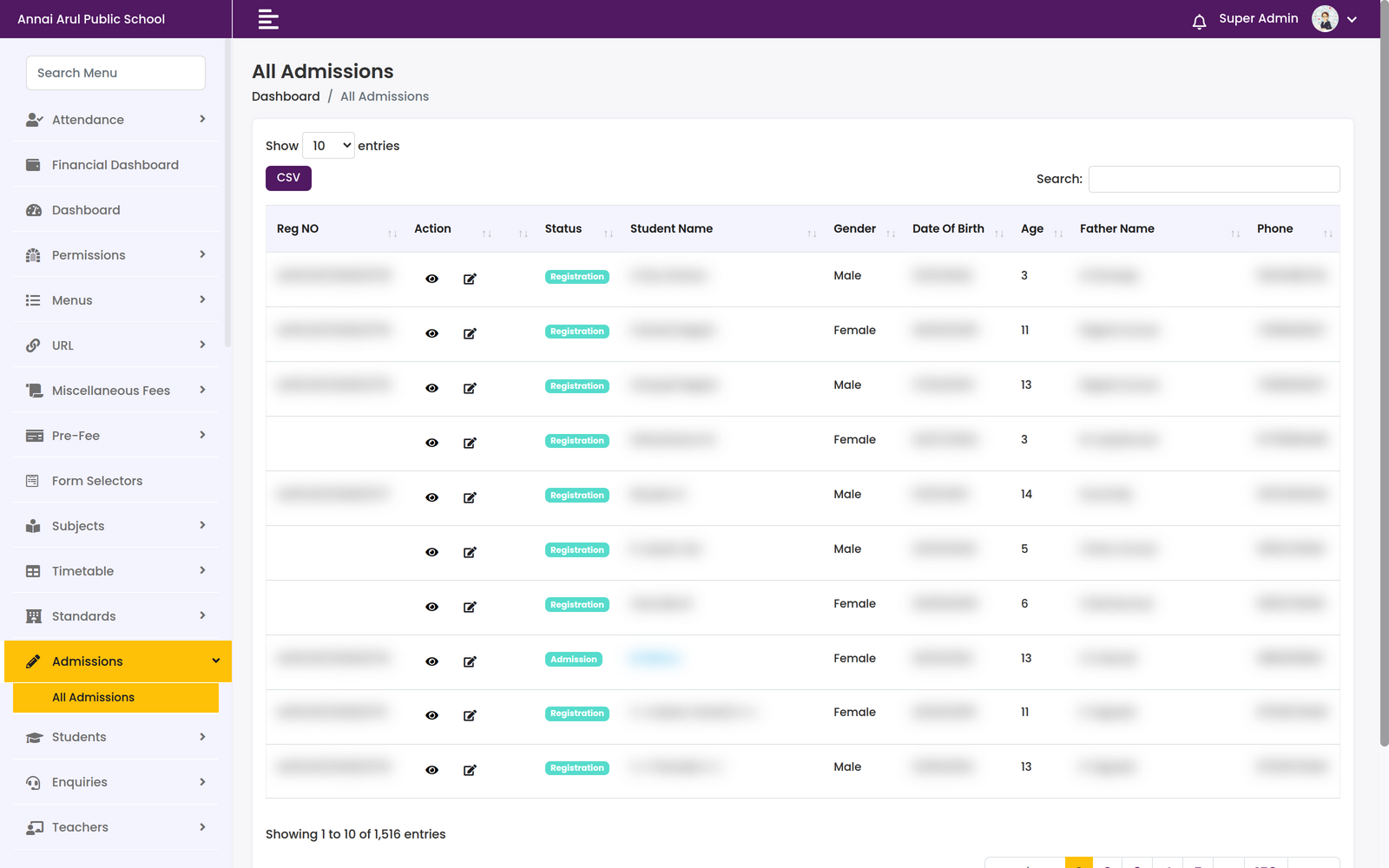
pebblecampus.com/sms / admissions
All Admissions table with registration number, status, student name, gender, date of birth, age, father name and phone columns
Admissions1,516 admission records, each with a registration number, a Registration or Admission status, gender, date of birth, age, father's name and contact number.
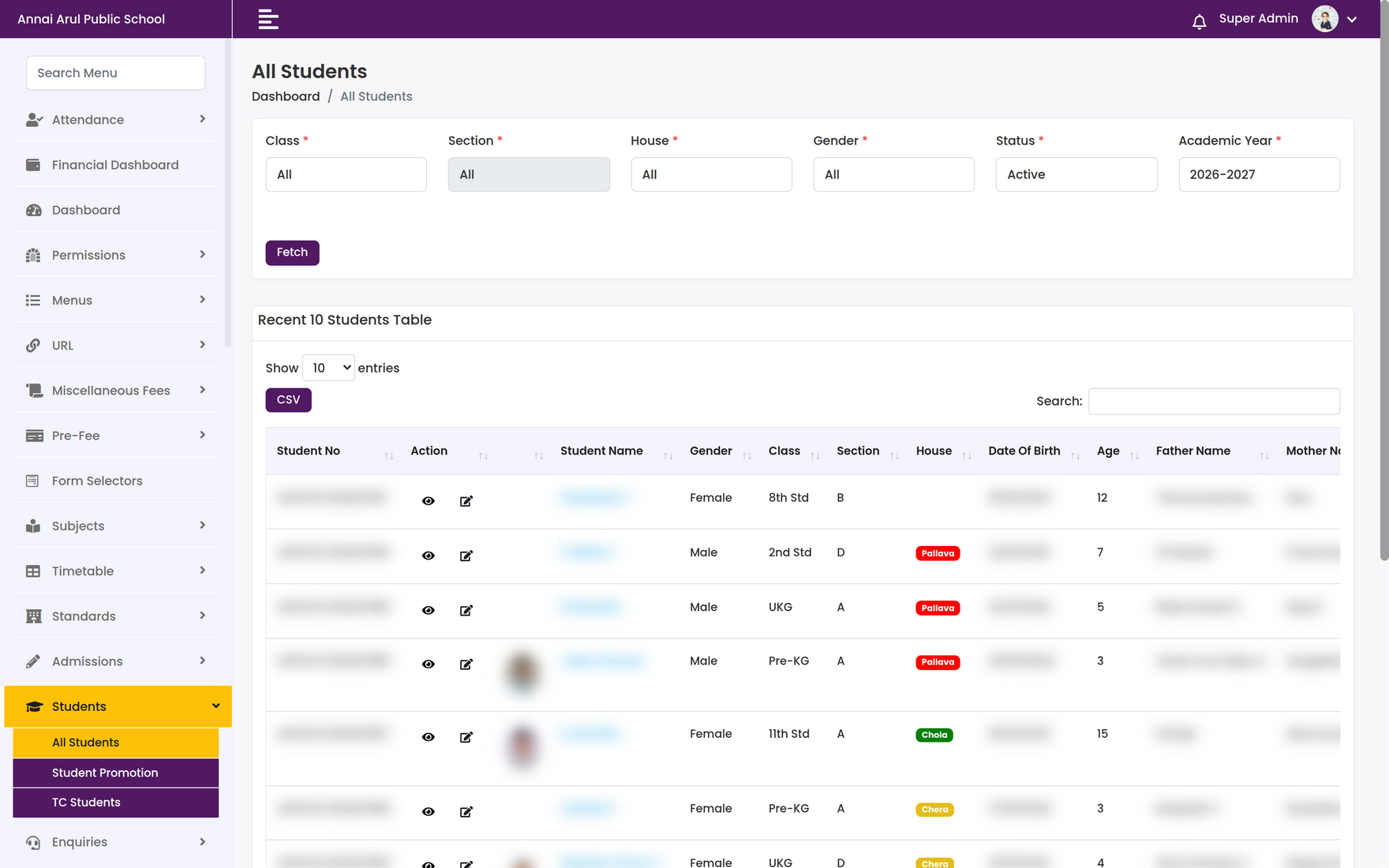
pebblecampus.com/sms / students
All Students screen with class, section, house, gender, status and academic year filters above a recent students table
Student InformationFilter the roll by class, section, house, gender, status and academic year (2026–2027), then view, edit or export any record.
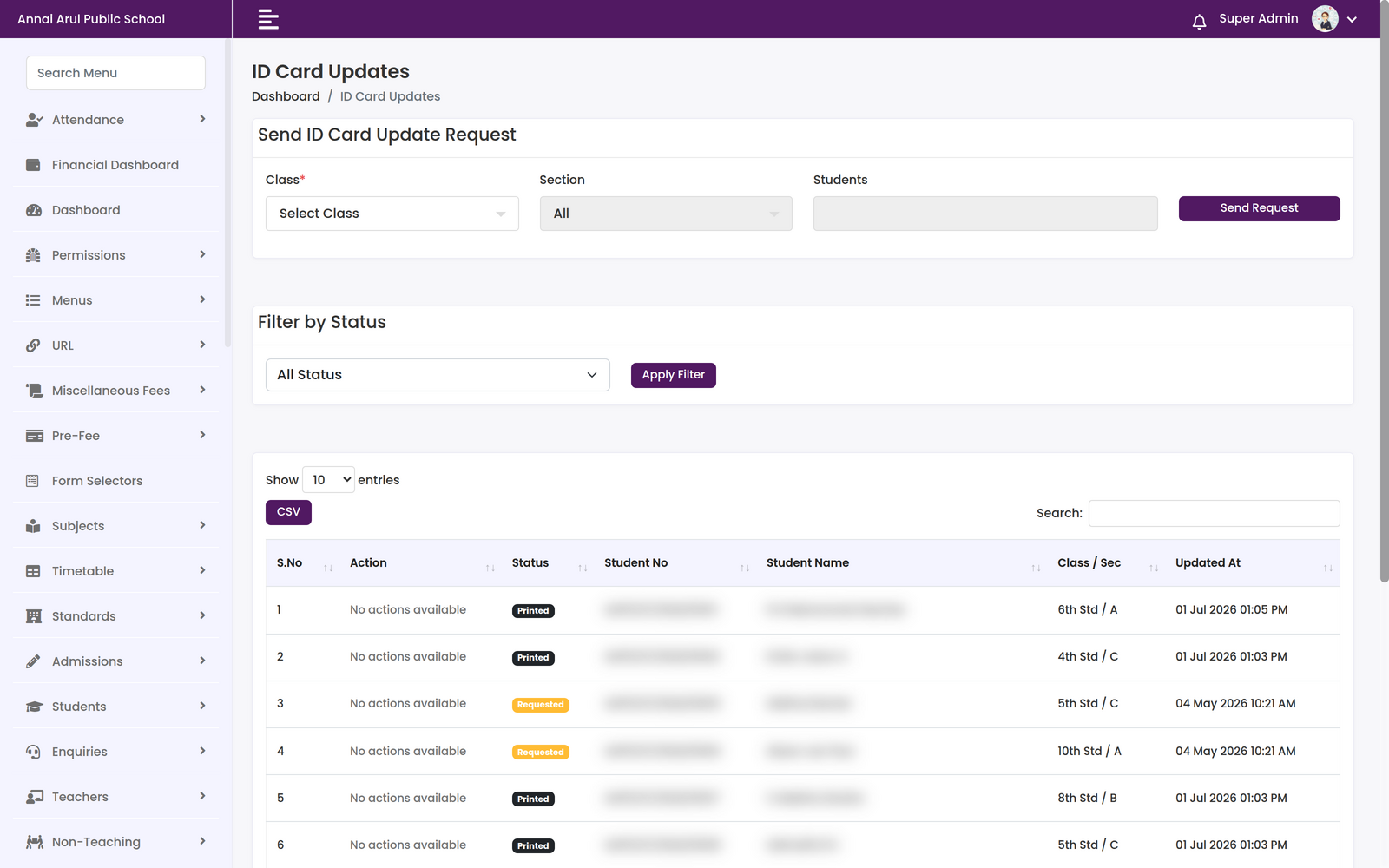
pebblecampus.com/sms / id-cards
ID Card Updates screen with a send-request panel by class, section and student, a status filter, and a table of requests marked Requested or Printed
ID Card AutomationRaise an ID-card update request for a class, a section or named students, then track each one through Requested and Printed.

Screenshots are from a live school deployment. Student and staff personal data has been blurred.

The other seven

Explore the rest of the platform

Eight groups, one system. Every module talks to every other module.

Ready to Simplify Your School?

Cloud or fully on-premises, customised to how your institution actually runs. We'll walk you through Student Lifecycle Management on your own data.