
Features Solutions Deployment Contact Book a demo
Feature group 03 of 08

Smart Fees & Financial Automation

Fee structures, miscellaneous fees, payment from the parent's phone, reconciliation and reminders — collections handled end to end, in rupees.

What's included

6 capabilities in this group

Straight from the Pebble Campus feature list — nothing added, nothing dropped.
  • Financial dashboard
  • Fee automation
  • Miscellaneous fee management
  • Fee payment through app
  • Auto reconciliation of fee payments
  • Auto Reminder for parents
Inside the fee modules

Screens from a live school deployment

pebblecampus.com/sms / miscellaneous-fees
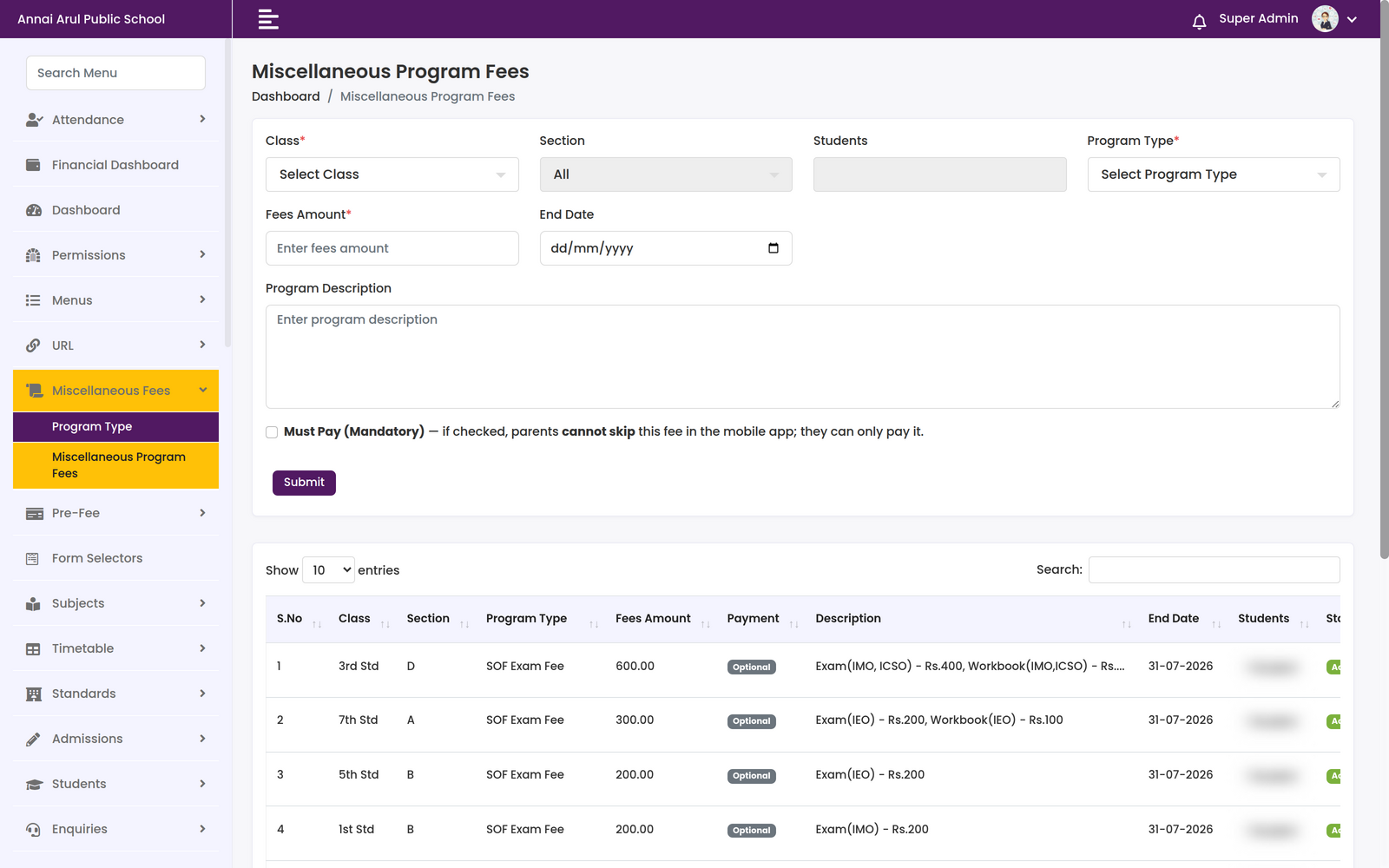
Miscellaneous Program Fees screen with class, section, students and program type selectors, a fees amount and end date, and a table of existing programme fees
Miscellaneous Fee ManagementRaise a fee against a class, section or named students with an amount, an end date and a description. A “Must Pay (Mandatory)” flag decides whether parents can skip it in the app; the table below shows SOF exam fees of ₹200–₹600 per class, each marked Optional.

Screenshots are from a live school deployment. Student and staff personal data has been blurred.

In the parent's pocket

Fee payment through the app

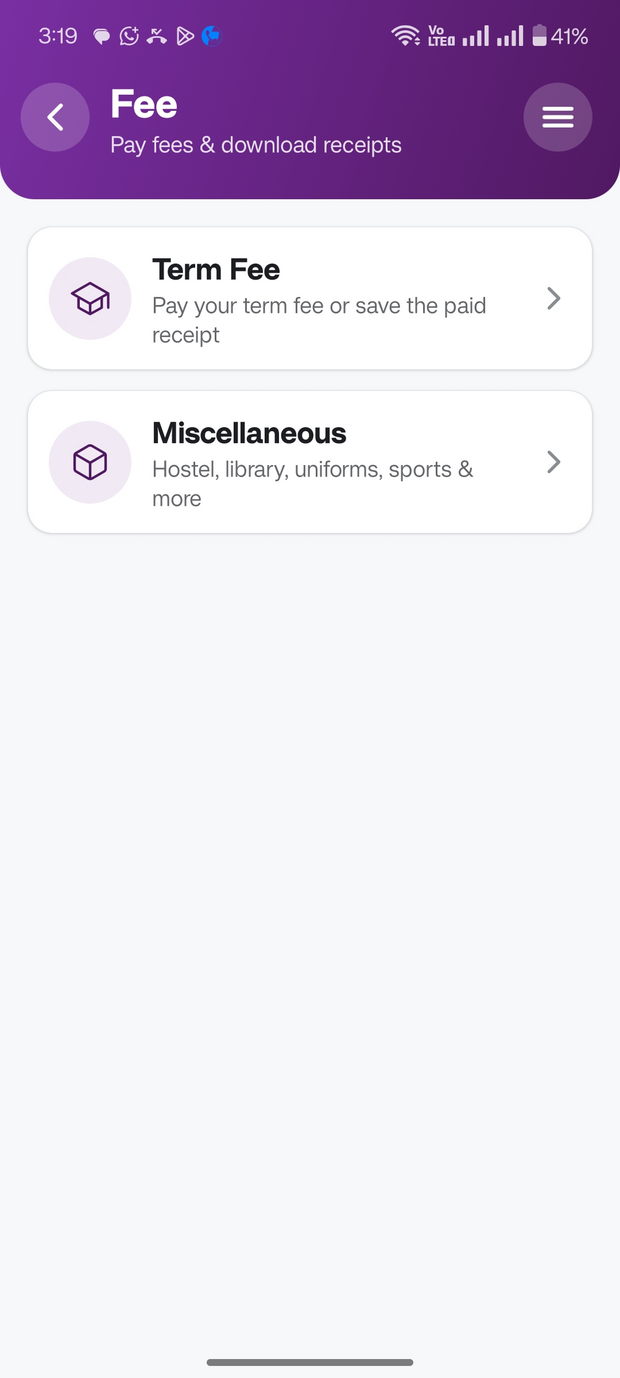
The Fee screen in the Pebble Campus parent app carries two doors: Term Fee — pay the term fee or save the paid receipt — and Miscellaneous, for hostel, library, uniforms, sports and more.

Pebble Campus app icon
Pebble CampusParent app · Google Play & App Store
Pebble Campus parent app Fee screen showing Term Fee and Miscellaneous options with the subtitle pay fees and download receipts
The other seven

Explore the rest of the platform

Eight groups, one system. Every module talks to every other module.

Ready to Simplify Your School?

Cloud or fully on-premises, customised to how your institution actually runs. We'll walk you through Smart Fees & Financial Automation on your own data.